Features / Weight and progress
Weight and progressSee where it is going.
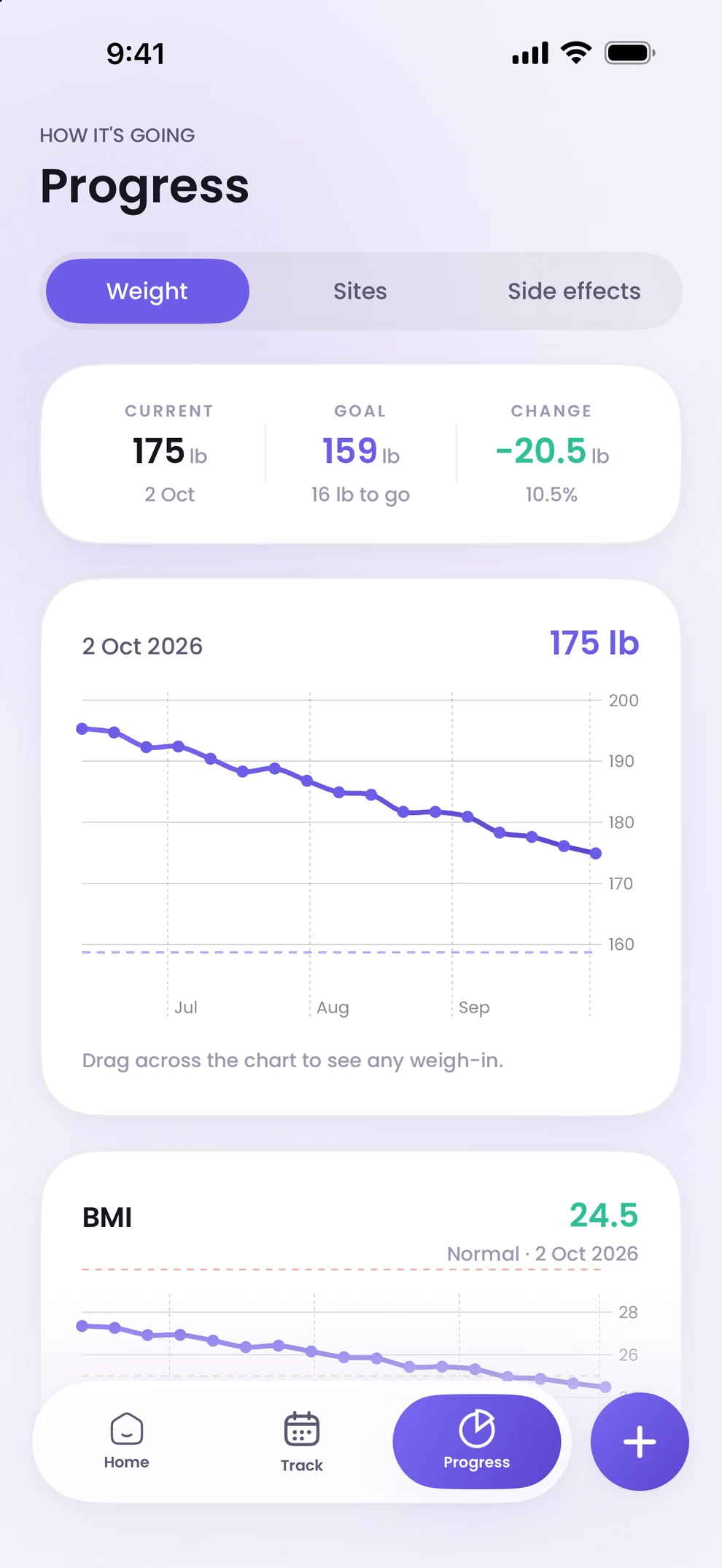
Log your weight and Peppy charts the trend against your goal, with the change so far and what is left to go. Drag across the chart to read any weigh-in. Weight sits next to your doses and check-ins, so the record tells one story.
- 01
A goal, and the distance to it
You enter your current and goal weight during setup. Progress shows the change since you started, what remains, and the trend over weeks and months.
- 02
Read any point
Drag across the chart to see the date and weight of any weigh-in. Edit or delete an entry from Track if you mistyped it.
- 03
Next to the doses
Because weigh-ins, doses and side-effect check-ins share one calendar, you can see how the trend lines up with your protocol. Peppy shows the numbers; what they mean is a conversation with your provider.
Weight and progress, answered.
Step by step: how to track weight, side effects and your dose history. More in the help centre.
- Is weight tracking free?
- Progress, including the weight chart, is part of Peppy Premium. The free version covers one peptide with its reminders and dose log.
- Can I log weight in pounds or kilograms?
- Yes. Peppy follows the unit you choose during setup.
- Does Peppy give weight-loss advice?
- No. It records what you enter and charts it. It does not set targets for you or comment on the trend.

Start with your next dose.
Download Peppy, the peptide tracker app for iPhone. Free to start, no account.