Features / Injection site rotation
Injection site rotationRotate injection sites without keeping notes.
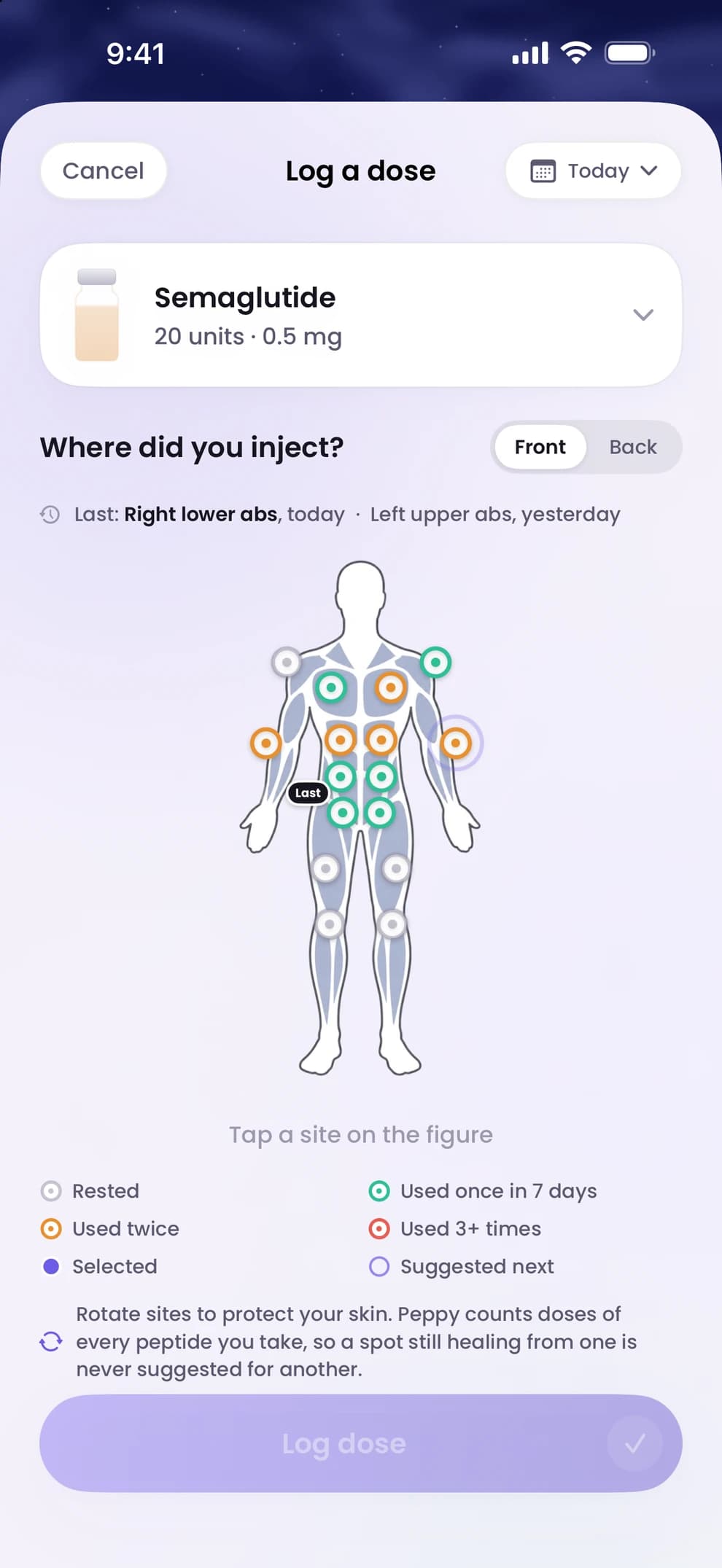
Each time you log a dose, tap the spot on the body map. Peppy keeps one map across all your peptides, marks the sites you have used, shows which have had the longest rest and suggests one of them for next time.
- 01
One map for every peptide
A site used for one peptide counts as used for the others too, so the map reflects where you have actually injected rather than one protocol at a time.
- 02
A suggestion, not an instruction
The suggested site is simply the one that has rested longest. It is a record of where you have and have not been; where you inject is between you and your provider.
- 03
Part of logging, not extra work
The body map is on the same screen as the dose log, so marking a site takes one tap. The site is saved with the dose, the time and the amount, and shows in your history.
Injection site rotation, answered.
Step by step: how to log a dose and rotate injection sites. More in the help centre.
- Does the site rotation work across different peptides?
- Yes. Peppy keeps a single map of injection sites across all the peptides you track.
- Can I see where I injected last time?
- Yes. The body map marks the sites you have used, and each logged dose in Track shows its site.
- Does Peppy decide where I should inject?
- No. It shows which sites have rested longest and suggests one. Your provider's guidance on injection sites comes first.

Start with your next dose.
Download Peppy, the peptide tracker app for iPhone. Free to start, no account.